
In order to enable 2FA security on your Mexxus account you will need to login to our client area.
Once logged in you will have to navigate over to your logged in name next to Hello and click on the small arrow to see drop down menu and click on Security Settings:
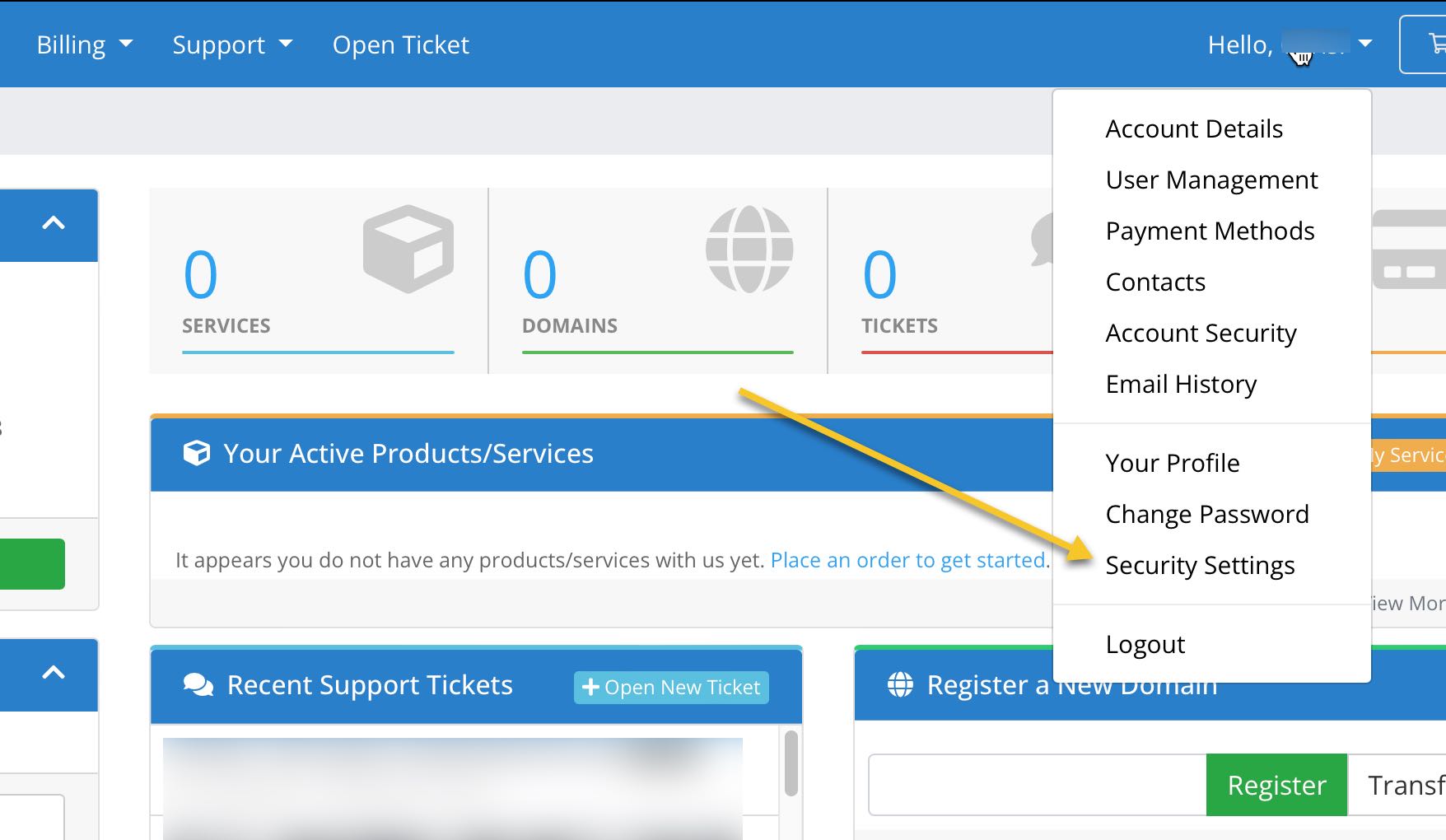
Once Security Settings is clicked you will then get the following window:
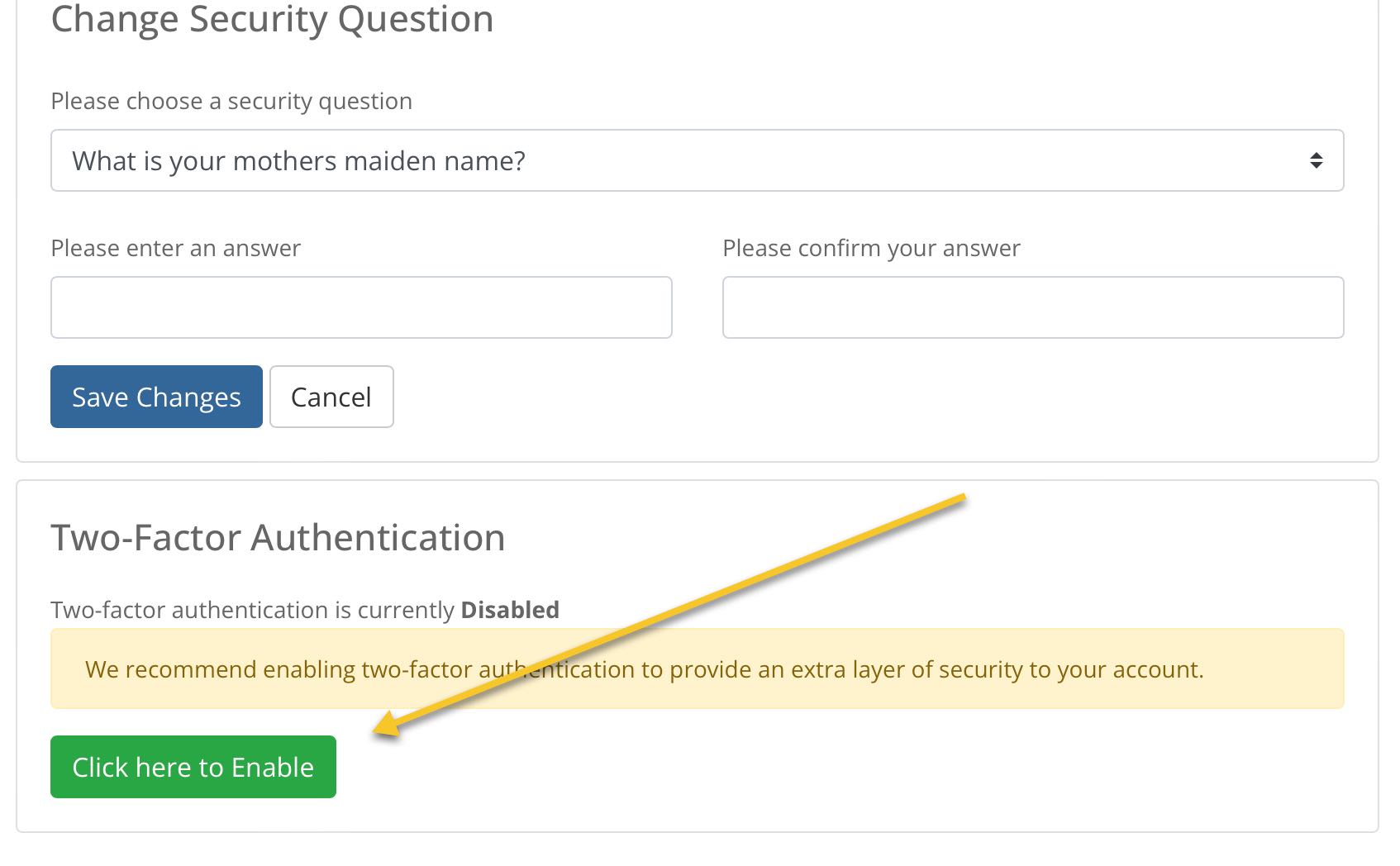
You will then click on the "Click here to Enable" button and finish the 2fA setup process.